โšก Trusted by 50,000+ Gamers

Unlock Your Maximum FPS

Professional Windows optimization with 10+ modules. Choose between Safe or Aggressive mode for the ultimate gaming performance boost.

+30% FPS Increase
-15ms Input Lag
10+ Optimizers

โœ“ One-time purchase   โœ“ Lifetime updates   โœ“ 30-day money back

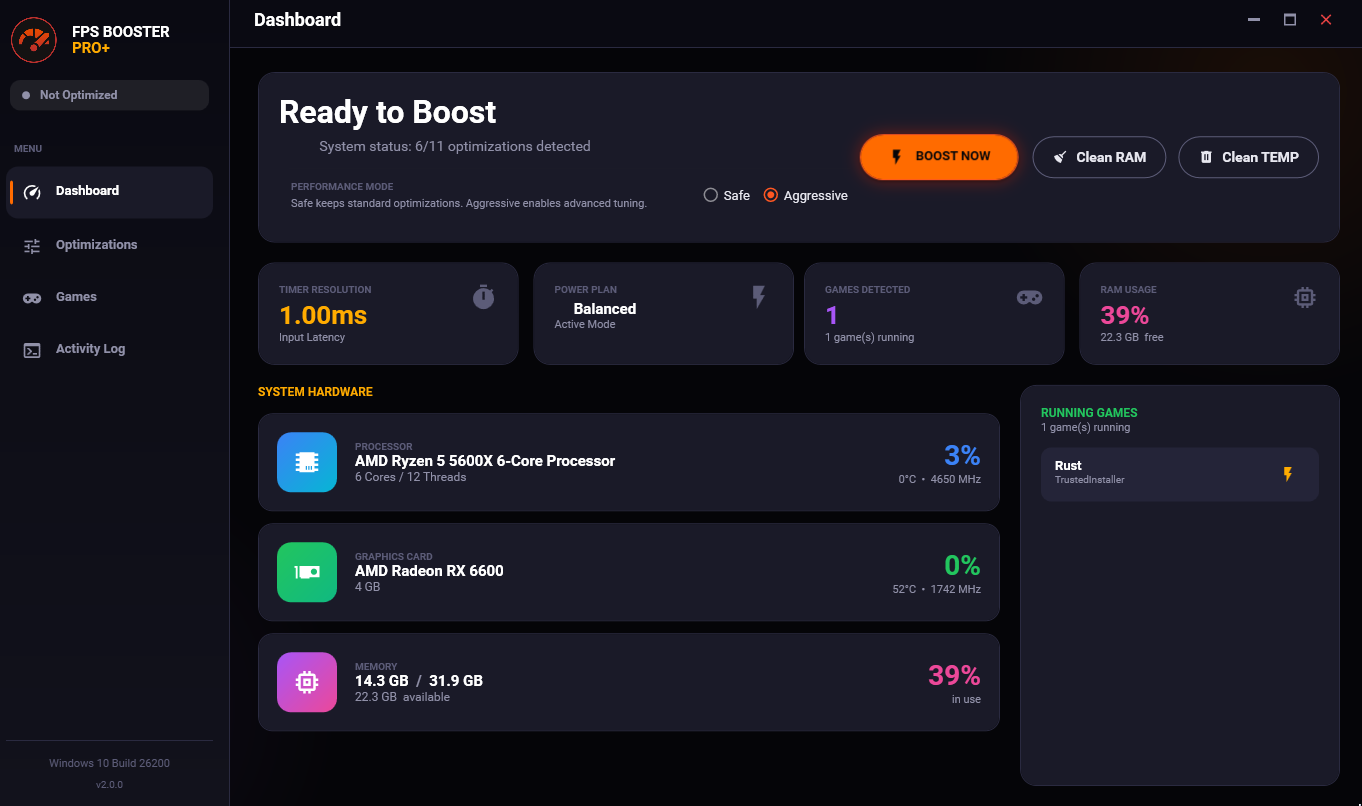
FPS Booster Pro+ Dashboard
Scroll to explore

Optimized for your favorite games

New Feature

Choose Your Performance Mode

Select the optimization level that matches your needs

๐Ÿ›ก๏ธ

Safe Mode

Standard optimizations that are 100% safe and reversible. Perfect for everyday gaming.

  • โœ“ Power Plan Optimization
  • โœ“ Memory Cleaning
  • โœ“ Timer Resolution (0.5ms)
  • โœ“ Game Mode Optimization
  • โœ“ Visual Effects Reduction
  • โœ“ Network Optimization
MAXIMUM PERFORMANCE
๐Ÿš€

Aggressive Mode

Advanced optimizations for competitive gamers who want every possible advantage.

  • โœ“ Everything in Safe Mode
  • โœ“ MSI Mode for GPU/Network
  • โœ“ Interrupt Affinity Tuning
  • โœ“ CPU Core Isolation
  • โœ“ Advanced Network Stack
  • โœ“ Vendor GPU Profiles
  • โœ“ System Restore Point
10+ Optimization Modules

Everything You Need to Dominate

Professional-grade optimizations that actually work. No snake oil, just real performance.

๐Ÿ”ฅ

Power Optimizer

Creates and activates Ultimate Performance power plan with USB Selective Suspend and PCI Express ASPM disabled.

๐Ÿง 

Memory Optimizer

Clears standby list, trims working sets, and flushes modified pages. Auto-clean feature for continuous optimization.

โฑ๏ธ

Timer Resolution

Sets Windows timer to 0.5ms (vs default 15.6ms) using NtSetTimerResolution for minimal input lag.

๐ŸŒ

Network Optimizer

Disables Nagle's algorithm, TCP acknowledgment delay, network throttling, and optimizes TCP/IP for gaming.

๐Ÿ–ฅ๏ธ

GPU Optimizer

Enables HAGS, optimizes shader cache, disables Fullscreen Optimizations (FSO), and sets GPU preferences per-game.

๐ŸŽฎ

Input Optimizer

Disables mouse acceleration, Filter Keys, Sticky Keys, and optimizes USB polling for raw input.

๐ŸŽฏ

Game Mode Optimizer

Enables Windows Game Mode while disabling Game Bar and Game DVR that cause stuttering.

โš™๏ธ

Services Optimizer

Disables non-essential Windows services like telemetry, Superfetch, and Windows Search for more resources.

๐ŸŽจ

Visual Optimizer

Disables Windows animations, transparency, and visual effects for maximum performance.

๐Ÿงน

System Cleanup

Removes temporary files from TEMP, %TEMP%, and Prefetch folders. Clears shader caches and crash dumps.

๐Ÿ”

Game Auto-Detection

Automatically detects running games using SetWinEventHook and applies per-game optimizations instantly.

Interface

Modern Dashboard

Beautiful, intuitive interface with real-time hardware monitoring

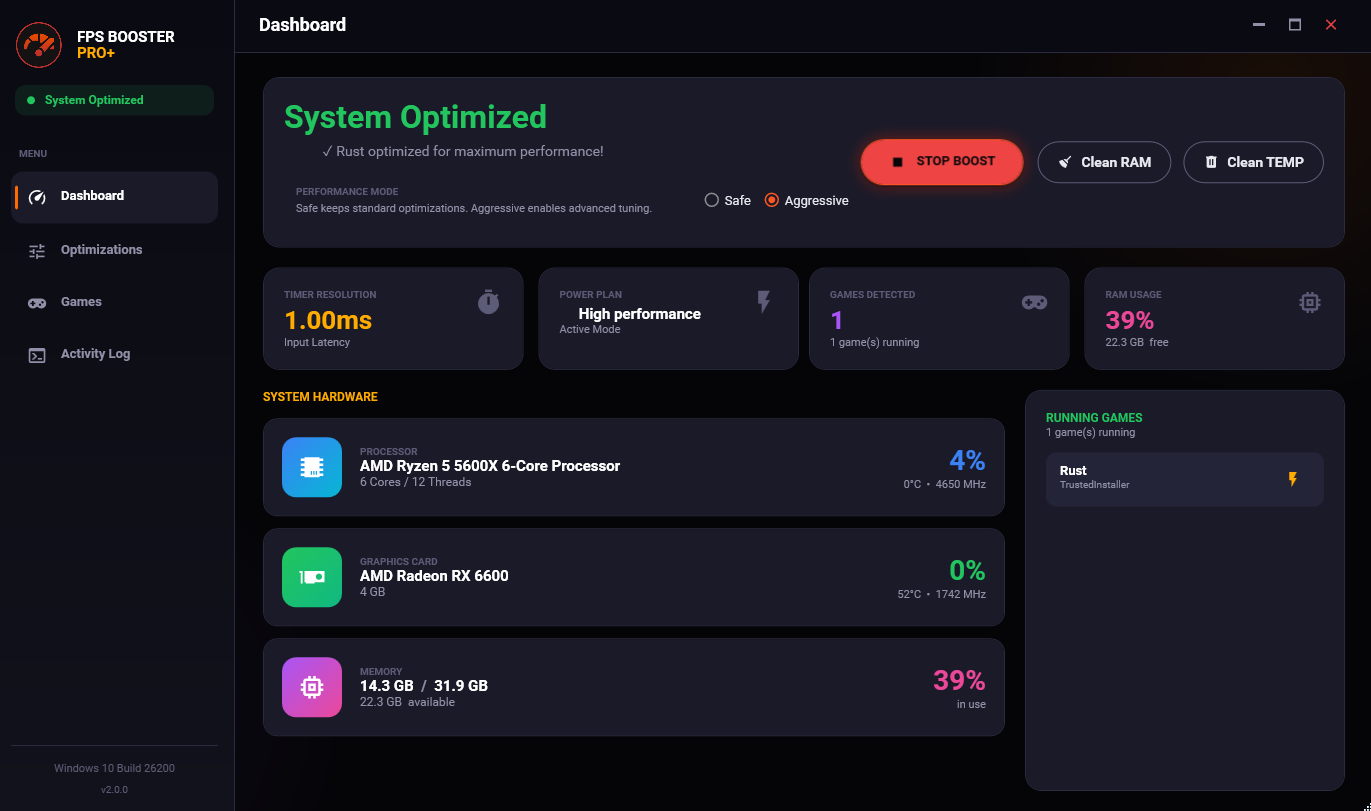
FPS Booster Pro+ Dashboard

Dashboard View

Real-time CPU, GPU, and RAM monitoring with quick stats

FPS Booster Pro+ Optimizations

Optimization Modules

10+ optimization modules with Safe/Aggressive mode selector

Simple

How It Works

Get optimized in under 60 seconds. No technical knowledge required.

1

Download & Extract

After purchase, download the ZIP file and extract it to a folder of your choice.

โ†’
2

Run Installation Wizard

Launch the installer and follow the professional setup wizard. Choose your installation path.

โ†’
3

Choose Mode & Boost

Select Safe or Aggressive mode, then click "Boost Now". All optimizations apply instantly.

Installation

Installation Instructions

Follow these simple steps to get FPS Booster Pro+ up and running

1

Download the ZIP File

After completing your purchase, you'll receive a download link. Click to download the FPSBoosterPro_Setup.zip file to your computer.

Recommended: Save to your Downloads folder for easy access
2

Extract the ZIP Archive

Right-click on the downloaded ZIP file and select "Extract All" or use your preferred extraction tool (WinRAR, 7-Zip, Windows built-in extractor).

  • Choose a destination folder (e.g., C:\Program Files\FPS Booster Pro+ or your preferred location)
  • Wait for the extraction to complete
  • You should see the extracted files including FPSBoosterPro.exe
3

Run the Installation Wizard

Navigate to the extracted folder and double-click FPSBoosterPro.exe to launch the installation wizard.

๐Ÿ“‹
Welcome Screen

Review the features and click "Next" to continue

๐Ÿ“œ
License Agreement

Read the terms and conditions, then accept to proceed

๐Ÿ“
Installation Location

Choose where to install (default: C:\Program Files\FPS Booster Pro+) or browse for a custom path

โœ…
Installation Complete

Click "Finish" and optionally launch FPS Booster Pro+ immediately

4

Launch & Optimize

Once installation is complete, launch FPS Booster Pro+ from your desktop shortcut or Start Menu.

  • On first launch, the application will detect your hardware and system configuration
  • Choose between Safe Mode (recommended for first-time users) or Aggressive Mode (maximum performance)
  • Click "Boost Now" to apply all optimizations
  • Monitor real-time performance metrics in the Dashboard
All optimizations are automatically reverted when you close the application or click "Stop Boost"
Windows SmartScreen Warning: When you first run the installer, Windows may show a SmartScreen warning. This is normal for new software. Click "More info" and then "Run anyway" to proceed. The software is 100% safe.

Troubleshooting

Can't extract the ZIP file?

Make sure you have enough disk space and try using Windows built-in extractor or download 7-Zip/WinRAR.

Installation fails?

Run the installer as Administrator. Disable antivirus temporarily if it blocks the installation.

Application won't start?

Ensure you have .NET 8.0 Desktop Runtime installed. Download it from Microsoft's official website if needed.

Optimizations not applying?

Make sure you're running the application as Administrator. Right-click the shortcut and select "Run as administrator".

Results

Real Performance Gains

Tested on real systems. Your results may vary based on hardware configuration.

Valorant
Before
185 FPS
After
243 FPS
+31% FPS
Counter-Strike 2
Before
210 FPS
After
275 FPS
+28% FPS
Fortnite
Before
144 FPS
After
187 FPS
+30% FPS
Call of Duty: Warzone
Before
120 FPS
After
165 FPS
+37% FPS

Input Lag Reduction

15.6ms Default Timer
0.5ms Optimized Timer
Technical

Under The Hood

Built with professional-grade Windows API integration

Win32 API

Direct Windows API calls for maximum effectiveness: NtSetTimerResolution, SetPriorityClass, PowerSetActiveScheme, SystemParametersInfo

Real-Time Monitoring

LibreHardwareMonitor integration for accurate CPU, GPU, and RAM stats with D3D 3D engine detection

Auto Game Detection

SetWinEventHook with EVENT_SYSTEM_FOREGROUND for instant game detection - no polling delay

100+ Games Supported

Pre-configured database including Valorant, CS2, Fortnite, Apex, CoD, LoL, Dota 2, and many more

Safe & Reversible

All changes are stored and can be reverted. Critical process protection prevents modifying system-essential processes

.NET 8.0 WPF

Modern C# application with Material Design UI. Lightweight and fast with minimal system overhead

100% Safe

Anti-Cheat Compatible

FPS Booster Pro+ only modifies Windows system settings. We never touch game files, inject code, or interact with game processes.

  • Safe for Valorant (Vanguard)
  • Safe for CS2 (VAC)
  • Safe for Fortnite (Easy Anti-Cheat)
  • Safe for all other games
Pricing

One Price. Lifetime Access.

No subscriptions. No hidden fees. Pay once, use forever.

MOST POPULAR

FPS Booster Pro+

$ 9 .99

One-time payment

  • 10+ Optimization Modules
  • Safe & Aggressive Modes
  • Automatic Game Detection
  • Real-Time Hardware Monitoring
  • System Cleanup Tools
  • Lifetime Updates
Buy Now - $9.99
30-Day Money-Back Guarantee
Secure payment via
FAQ

Frequently Asked Questions

No. FPS Booster Pro+ only modifies Windows system settings like power plans, network configuration, and memory management. We never modify game files, inject code, or interact with game processes. It's 100% safe for all anti-cheat systems including Vanguard, VAC, Easy Anti-Cheat, and BattlEye.

Safe mode applies standard optimizations that are completely reversible and have no risk. Aggressive mode adds advanced tweaks like MSI mode for devices, interrupt affinity tuning, CPU core isolation, and vendor-specific GPU profiles. Aggressive mode creates a system restore point before applying changes.

Windows 10 or Windows 11 (64-bit), 4GB RAM minimum, and .NET 8.0 Desktop Runtime. The software must be run as Administrator to apply system optimizations.

Yes! All changes are 100% reversible. Click "Stop Boost" to revert all optimizations instantly. When you close the application, all optimizations are automatically reverted to ensure your system stays stable.

Results vary based on your hardware and current system configuration. Most users see 10-30% FPS improvement and noticeably reduced input lag (from 15.6ms to 0.5ms timer resolution). Systems with more background processes tend to see the biggest gains.

No subscriptions ever. Pay once, own forever. You'll receive all future updates at no additional cost.

Ready to Boost Your Performance?

Join thousands of gamers who've already improved their gameplay.

Get FPS Booster Pro+ Now